2nd Voice · iPhone & iPad
A second voice
for any melody.
Import a song as MusicXML and 2nd Voice works out a singable alto line for it. Listen to three suggestions for every section, choose bar by bar what you like, and share the result as PDF or MusicXML.
Coming soon to the App Store.
For iPhone and iPad with iOS 17 or later · German and English · no account, no ads
How it works
From a song to a second voice in four steps.
Load a song
Import a MusicXML file (.musicxml, .xml, .mxl) or open it directly from MuseScore, Dorico, Finale, Mail or Files using “Share”.
Pick a style
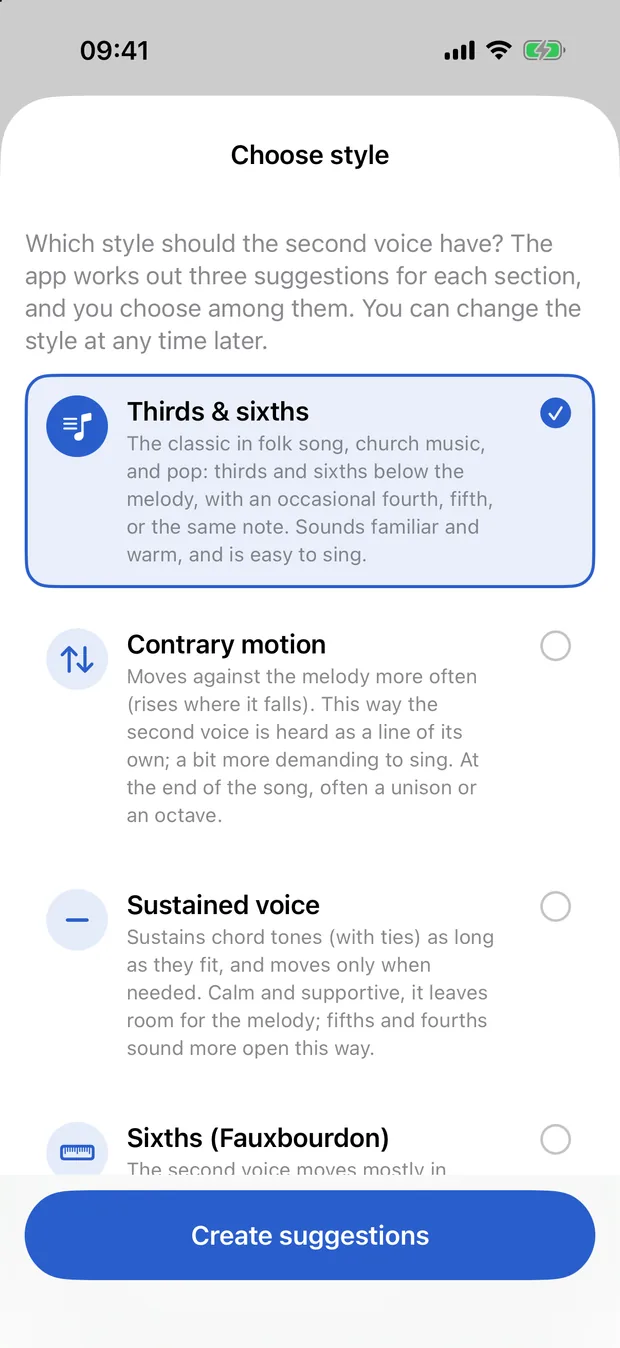
Thirds & sixths, contrary motion, sustained voice, sixths or organum – you can change the style at any time.
Choose suggestions
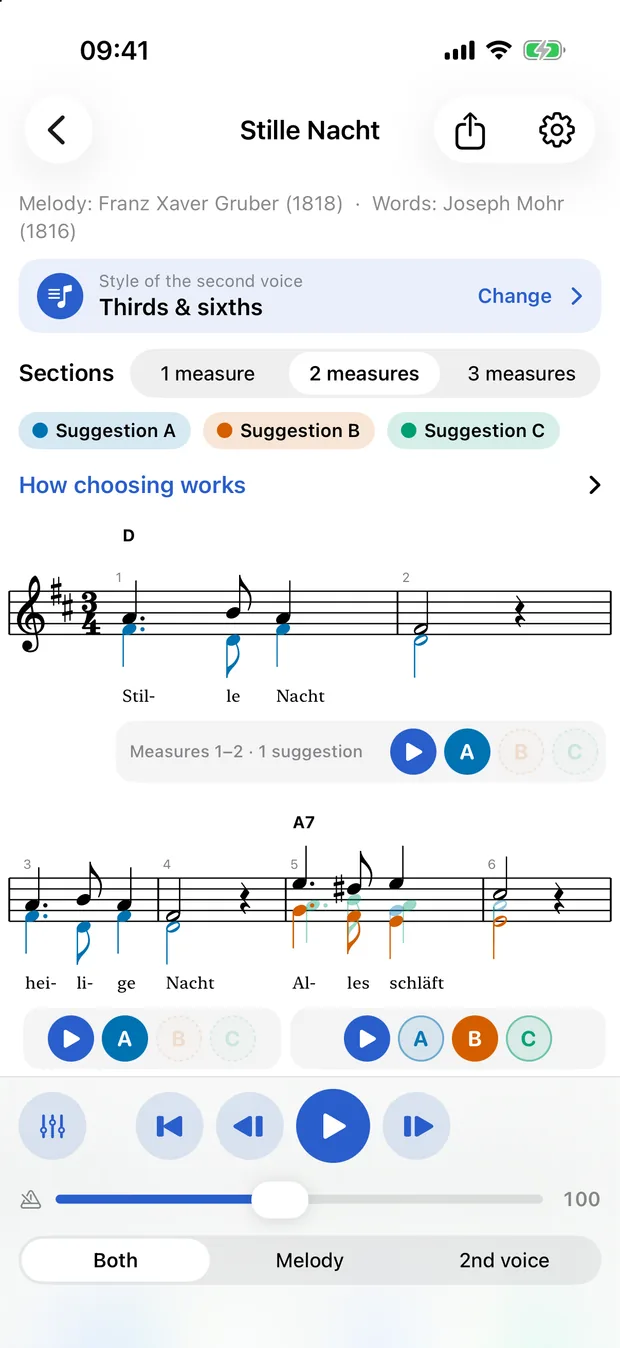
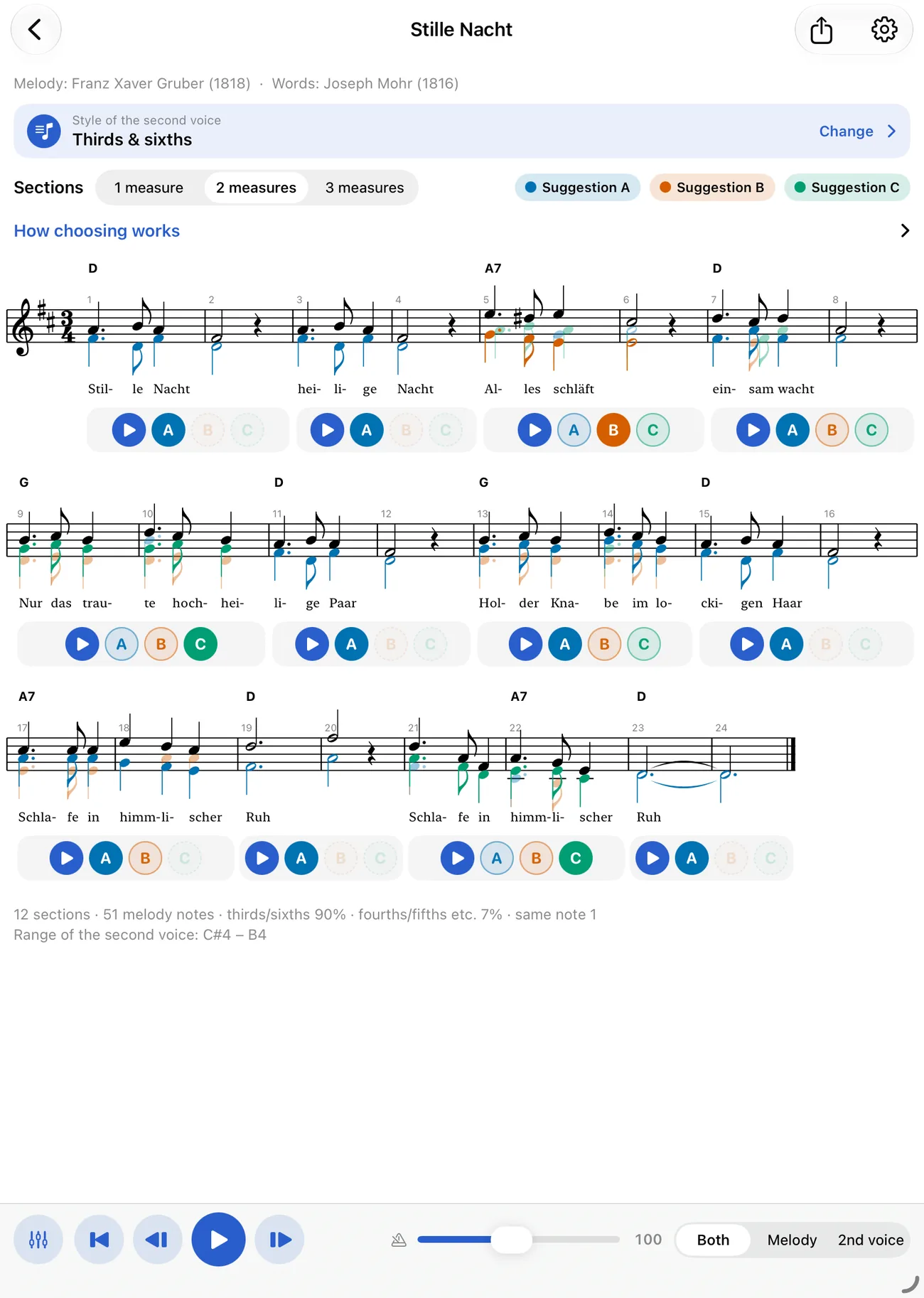
Every section comes with three suggestions A, B and C, stacked in the same score. Tap, listen, choose.
Listen and share
Play melody and second voice with a piano or choir sound and export as PDF or MusicXML – in another key if you like.
Singable and musically clean
The rules of voice leading are built in; the choice stays with you.
Five styles
Thirds & sixths as in a folk song, contrary motion as a line of its own, sustained voice, sixths (fauxbourdon) and organum with fourths and fifths.
Three suggestions per section
Choose sections of 1, 2 or 3 bars. Each suggestion has its own colour; the chosen one is bold, the others stay visible.
Never a second
No second appears between melody and second voice. Except in organum there are no parallel fifths or octaves, and the voice stays in a comfortable alto range.
Sections that connect
Later sections follow on from your earlier choice – no leaps and no parallels across the boundary.
Adjust single notes
Tap a note of the second voice and move it. The interval to the melody is shown beside it, and seconds are marked red.
Everything on your device
The app works without internet and without an AI service. No account, no ads, no data collection.
Also for songs without chords
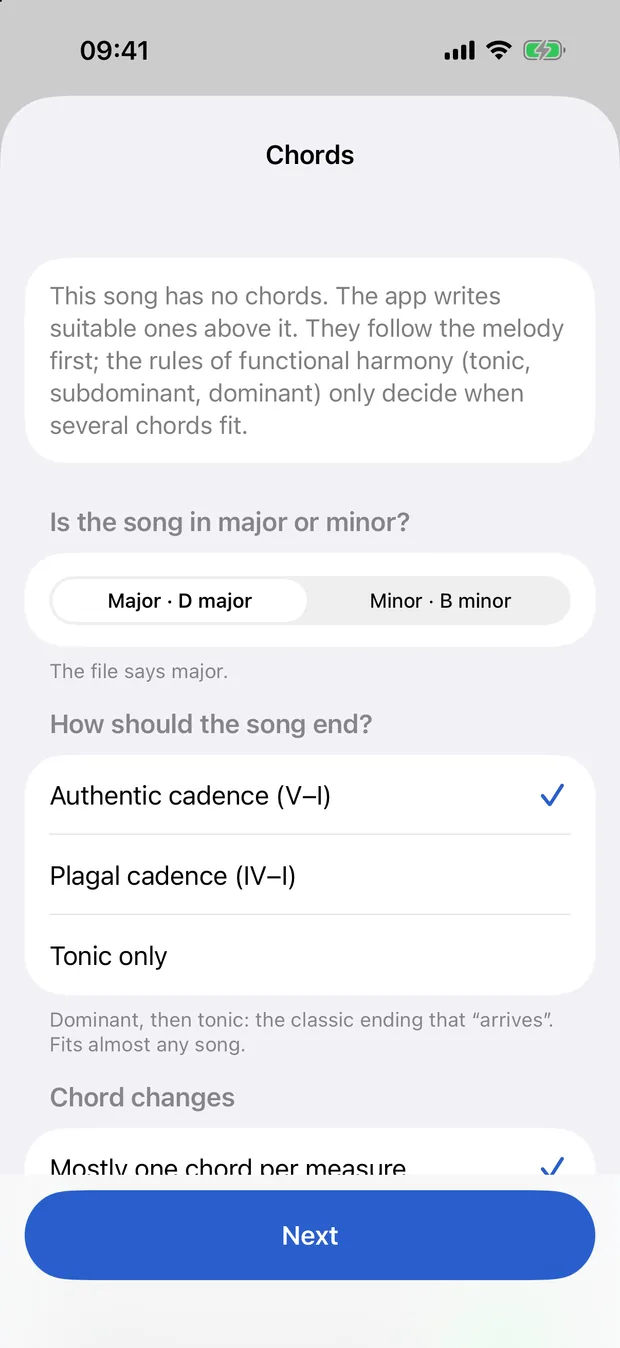
If the file has no chord symbols, 2nd Voice writes suitable ones above the melody. You answer once whether the song is in a major or minor key and how it should end – with an authentic cadence (V–I), a plagal cadence (IV–I) or just the tonic. The chords follow the melody first; a preview shows how well they fit. You can change everything later in the “Chords of the app” row.
- Major or minor, with a suggestion and the reason
- Authentic cadence, plagal cadence or tonic only
- One chord per bar or up to two
- Dominant as a seventh chord if you like
Listen before you decide
Tap A, B or C and playback starts at that point and keeps going across the lines. Tap another suggestion and it restarts there. With a piano or choir sound, an adjustable tempo and separate volume for melody and second voice.
Transpose and export
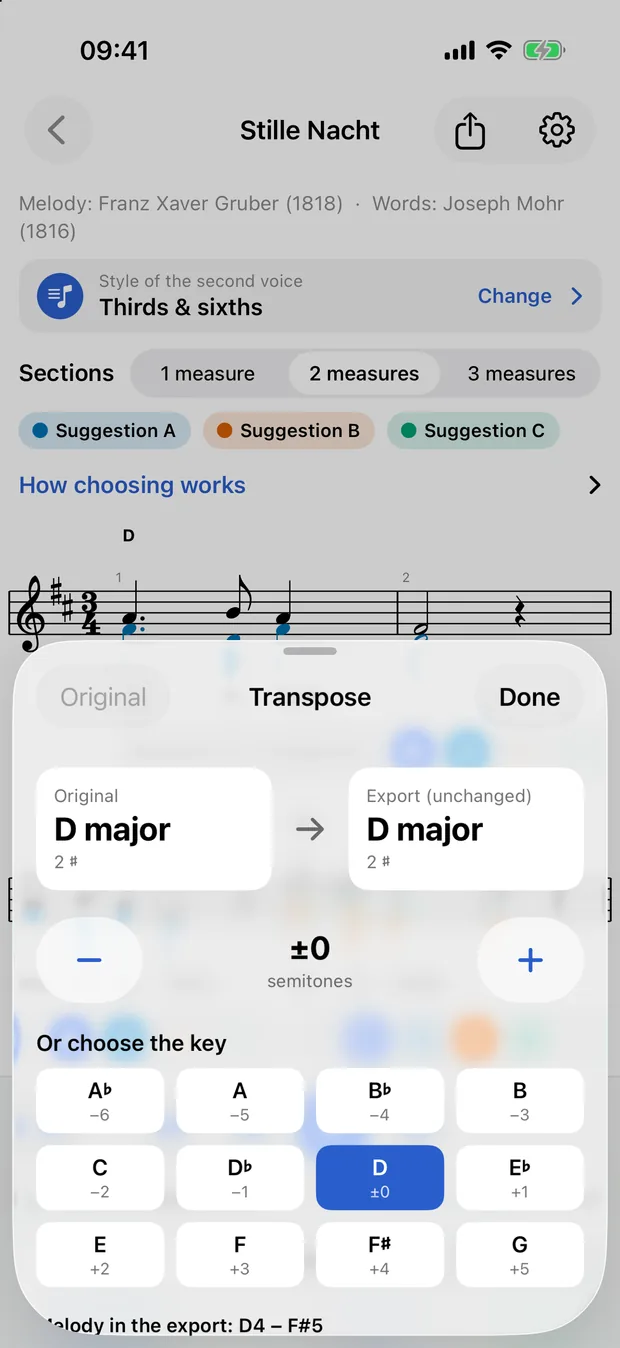
Before exporting you move melody, chords and the chosen second voice together by semitones, or pick the target key directly. The range of the melody is shown. The PDF for printing and the MusicXML file for your notation software get the new key; in the app the song stays in its original one.
For iPhone and iPad
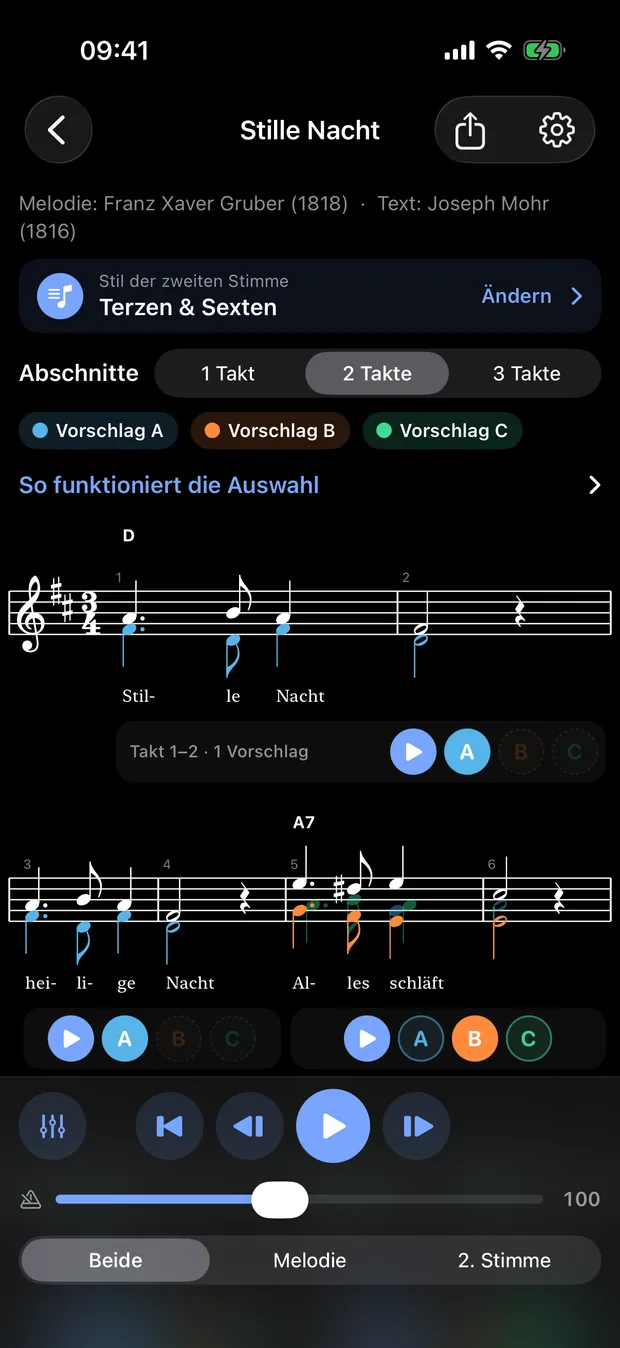
Many bars fit side by side on iPhone in landscape and on iPad even in portrait. Light and dark mode, German and English.
Frequently asked questions
Which files can I load?
MusicXML: .musicxml, .xml and compressed .mxl. The melody should be monophonic; chord symbols are welcome but not required.
Do I need internet or an account?
No. 2nd Voice calculates and stores everything on your device and uses no AI services.
What can I export?
A PDF (to print or share) and a MusicXML file with the melody, chords and the chosen second voice, transposed if you like.
Which voice is the second voice meant for?
An alto voice in a comfortable range. You can change single notes by hand.
Which devices does it run on?
iPhone and iPad with iOS or iPadOS 17 or later. It is available in German and English.
Where do the sounds and the music font come from?
The sounds are recorded piano and choir, the music font is Leland. Sources and licences are listed in the app under Settings.
2nd Voice is coming soon to the App Store.
As soon as the app is available, the link will appear here. Questions until then are welcome at support@pauseink.app.
More apps
From the same developer: